
Plumbing Formulas in Google Sheets: Stop Filling Down
- 07 Sep, 2026
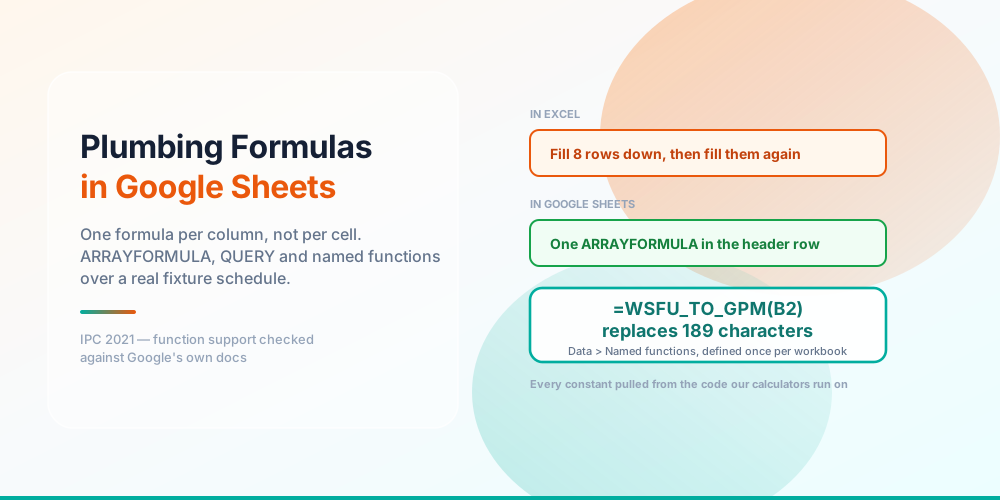
Every plumbing formula worth having pastes into Google Sheets exactly as it does into Excel. Pipe velocity, Hazen-Williams, Manning’s, drain slope, recovery rate, margin — no dialect, no substitutions, no version to check. If that is all you came for, the plumbing formulas in Excel post and its reference page have all of them, and they work here unchanged.
Which makes “can I use these in Sheets” the wrong question. The interesting one is what you would build differently because you are in Sheets — and the answer changes the shape of the whole sheet, not the formulas in it.
The difference is where the formula lives
In Excel you write a formula and fill it down. From that moment the sheet contains as many copies of your logic as it has rows. Every one of them can be overtyped by anybody, and when somebody does, the column still totals and nothing anywhere tells you.
In Sheets you write it once, in the header row, wrapped in ARRAYFORMULA, and it governs the entire column below — including rows that do not exist yet. Add a bathroom to the schedule and the new row sizes itself.
The same fixture schedule, sized two ways
That schedule is a real two-bath house: 18.5 WSFU of supply load, which Hunter’s curve puts at 19 gpm of probable peak demand on flush tanks. The overtyped cell reads 1 where the code table says 1.4 — a silent 0.4 WSFU short, on a sheet that looks fine and adds up.
Worth being precise about what does and does not vectorise, because this is where most ARRAYFORMULA builds quietly go wrong. Arithmetic vectorises. A single-column XLOOKUP vectorises. A multi-column return range hands back only the first column. INDEX does not vectorise at all. And anything that reduces — MAX, MIN, SUM, COUNT — collapses the whole array to one value and writes it into every row, which is a genuinely nasty way to get a plausible wrong answer. The moment your per-row logic branches, stop and reach for MAP or BYROW.
Set up tabs, not cells
The Excel reference asks you to lay out cells: labels in column A, values in column B. This page’s builds need something different, because none of them lives in a single cell — each occupies one cell and governs a column, and each reads a pasted code table by sheet name.
So the layout is a set of tabs: Schedule for the fixture list, Branches for the riser schedule, then one tab per pasted table, a Limits tab holding the ceilings and code minimums, and a Rates tab. Ten tabs, pasted once, and every formula on the Google Sheets formula reference works without editing a reference.
One habit is doing most of the work there: write the range as B2:B with no end row. An open-ended range is the entire reason the build covers rows that do not exist yet. Sheets caps a spreadsheet at ten million cells, so leaving columns open costs you nothing you will ever notice on a fixture schedule.
Roll it up with QUERY, not a pivot table
A fixture schedule is half the job. You need the load reaching each branch, riser and floor, and you need it to still be right after somebody adds a bathroom.
Excel’s answer is a PivotTable, which is a snapshot — it does not refresh when a row appears, and a good number of the sheets in this trade are quietly reporting last week’s totals. QUERY is a formula, so it cannot be stale:
=QUERY(Schedule!A2:F,"select A, sum(F) where A is not null group by A order by sum(F) desc",0)That is SQL over a range, and Excel has nothing like it short of the 365-only GROUPBY. The trailing 0 says the range has no header row; where A is not null is what keeps the thousands of empty rows below your data out of the answer.
The composition is where it gets genuinely useful. A QUERY result can be piped straight through MAP into a function you defined yourself, so each riser’s WSFU subtotal and its gpm appear side by side in one cell, with no helper column anywhere.
Define it once and stop retyping it
Under Data → Named functions you give a function a name, name its arguments, describe each one, and paste a definition. From then on it behaves like a built-in — it turns up in autocomplete with your own description of each argument.
This is where the ugliest formula in plumbing goes to die. Hunter’s curve is a table, not an equation, so reading between its anchors takes a linear interpolation, and in Excel that interpolation is 189 characters long and needs a helper cell holding a MATCH. Both of them, in every sheet that needs a peak demand.
The ugliest formula on the Excel page, defined once
As a named function it is 23 characters — =WSFU_TO_GPM(B2,"tank") — and there is no helper cell. That is 8.2× shorter, and both return the same 19 gpm for the same 18.5 WSFU load.
Three naming rules will save you a confusing five minutes. A function name cannot match a built-in, which is why the slope function on the reference page is called MIN_SLOPE_INFT and not SLOPE. It cannot start with a digit, and the underscore is the only special character allowed. And a named range outranks a named function of the same name, which produces a genuinely baffling failure if you have a range called RATE and then write a function called RATE.
Excel 365 can approximate all this by naming a LAMBDA in Name Manager, but it cannot describe the arguments, and it has no equivalent of Import function, which pulls a definition straight out of last year’s workbook.
Where Sheets is actually worse
Worth saying plainly, because most comparisons of the two are written by somebody selling one of them.
Nobody in a van types 1.5. They type 1-1/2", or 1 1/2, or 1½, and the sheet has to cope. Excel 365 has TEXTBEFORE, TEXTAFTER and TEXTSPLIT, which read beautifully for a fixed-shape split — and Google Sheets has none of the three.
What each one actually has
Sheets answers with SPLIT and the REGEX family, which Excel does not have at all without VBA. SPLIT takes a set of delimiters rather than one, so splitting on -/ breaks 1-1/2 into three parts, 3/4 into two and 2 into one, and the part count tells you which shape arrived. That handles input Excel’s text functions cannot, and regex is the reason a messy schedule is salvageable in Sheets and a retyping job in Excel.
So: 7 of the functions the reference page leans on have no Excel counterpart, and 4 things Excel does are genuinely missing here. Every one of those four has a workable substitute — XMATCH becomes plain MATCH, GROUPBY was never needed because QUERY did it a decade earlier. Neither tool wins outright, but only one of them can parse a size somebody typed three different ways.
Three things that will bite you
A conditional-format custom formula cannot see another sheet. This is documented, and it is the commonest reason a rule silently never fires. A velocity rule on Branches that reads the ceiling off Limits needs INDIRECT("Limits!$B$2"). Worth the ugliness — the alternative is a limit hard-coded into a formatting rule where nobody will ever find it again.
QUERY nulls out the minority data type in a mixed column. Give a column both 3 and 1-1/2" and it picks one type and discards the other, silently. Plumbing sheets walk into this constantly, because sizes are the one thing everybody types as a fraction. Keep the decimal in the column QUERY reads and render the fraction somewhere else.
IMPORTRANGE is looser than people assume. Once access is granted, any editor on the destination spreadsheet can pull any range from the source, not just the one you named. If the source is your price book, that matters. Keep rates in a file you are content for the whole company to read, and keep margins somewhere else.
And one that is not a bug: every formula published on the reference page assumes a locale using a full stop as the decimal separator. If yours uses a comma, the argument separator becomes a semicolon and the column separator inside curly-brace array literals becomes a backslash. A formula pasted into the wrong locale fails with a parse error rather than a wrong answer, which is at least honest of it.
What still does not belong in a spreadsheet
The same things that did not belong in an Excel one. A shared sheet is more current than a saved workbook and still not current: copy these builds, and if a code table changes in a later cycle nothing in your file will tell you. A sheet several people can edit has more ways to drift, not fewer.
And a sheet everybody can edit is the worst possible place to keep a price a customer has already accepted. Model the numbers in Sheets — size a riser schedule at once, roll the load up by floor, work out what your bill rate actually has to be, and see what a 25% markup really delivers as margin on the plumbing job estimate calculator. Then produce the document somewhere that keeps versions.
Frequently asked questions
Do the Excel formulas really work in Google Sheets unchanged?
Yes, all of them. XLOOKUP is fully supported in Sheets, match_mode and search_mode included, so even the lookup-heavy ones paste straight in. What differs is the setup rather than the arithmetic: Sheets has no Formulas → Create from Selection, so named ranges go in one at a time under Data → Named ranges.
Why not just fill down in Sheets like I do in Excel?
You can, and for a five-row sheet it makes no difference. It starts to matter the moment somebody else opens the file. A filled-down column has one copy of your logic per row and no record of which ones have been edited by hand; an ARRAYFORMULA has exactly one, in a cell you can see. On a schedule that grows, it also means never having to remember to extend anything.
What is the single most common ARRAYFORMULA mistake?
Reaching for MAX. Inside an ARRAYFORMULA, MAX aggregates the entire array down to one number, so applying the water-closet floor as MAX(3,t) returns the largest drain in the whole schedule and writes it into every row. The elementwise form is IF(t<3,3,t). Everything that reduces behaves the same way.
Do named functions work when I copy the spreadsheet?
Copying a whole spreadsheet brings its named functions with it. Moving one between files needs Data → Named functions → Import function, which is a real feature and a good reason to keep a master workbook. The caveat: a function whose definition references a range, like the Hunter’s curve lookup, points at a tab of that name in whichever file it now lives in — so import the paste tables too, or it returns an error rather than a wrong number.
Can Sheets handle a real commercial fixture schedule?
Comfortably. The cap is ten million cells per spreadsheet, and a fixture schedule with every column computed is a few thousand. What actually degrades is IMPORTRANGE-heavy workbooks and very long chains of volatile functions, not row count.
Is XLOOKUP or INDEX/MATCH better here?
XLOOKUP in Sheets, without much hesitation. The INDEX/MATCH form exists on the Excel reference because it works back to Excel 2007, and there is no old version of Google Sheets to support — everybody here already has XLOOKUP, LAMBDA, LET and named functions. match_mode 1 is the one to know: exact match or the next value greater, which is what every capacity lookup in the plumbing code wants.
Will a sheet’s answer match your calculators?
It will if you use the constants at the precision we publish them, which is why the reference page interpolates every one of them out of the same code the calculators run rather than typing them in. Sheets also rounds a half away from zero, the same rule Excel and our calculators use, so =ROUND(23.615,2) gives the same answer in all three.
How do I convert 1-1/2” into a number I can look up?
SPLIT on the delimiter set -/ after stripping the inch mark, then branch on how many parts came back: three is a mixed number, two is a bare fraction, one is a whole number. Build it once as a named function and never think about it again. The plumbing unit conversions post covers the rest of the conversions worth keeping in named cells rather than buried in formulas.
Which is better for a plumbing business overall?
Sheets if more than one person touches the file, or if you want it on a phone in the van — real-time collaboration and revision history are not features Excel matches without a subscription and some luck. Excel if you have heavy existing workbooks, need Power Query, or work somewhere with a locked-down Microsoft estate. For the arithmetic on this site it genuinely does not matter, which is the whole point of the Excel reference and the Sheets one sitting side by side.
Sources & standards: International Plumbing Code (IPC) 2021 — 604.1, 604.8, Table 709.1, Tables 710.1(1) and 710.1(2), 906.2, Table 909.1, and Appendix E Tables E103.3(2) and E103.3(3), plus Table 704.1 for drain slope. Velocity limits and Hazen-Williams coefficients are ASPE and manufacturer design practice, not code requirements. Google Sheets function availability, the named-function naming rules, the conditional-format same-sheet restriction and the IMPORTRANGE access model were each checked against Google’s own Docs Editors Help rather than inferred — Sheets gains functions regularly, so a claim that something is missing is only as current as the day it was checked. Plumbing code adoption is split between the IPC and the Uniform Plumbing Code; confirm which your jurisdiction has adopted, and a licensed plumber plus the AHJ have final say on anything installed.